


The home
What is next, then the four numbers people look for. A reminder reads like a colleague, not a system.
Loading Mowgoud.
Getting everything ready before you enter.
One app for a whole region. A concept exploration of the UI elements a single Neom Super App could give its residents, employees and visitors.
Residents, employees and visitors each have their own reason to open an app. This one gives them a single front door, a number before its detail, and an assistant that speaks first.
NEOM is a region with residents, employees and visitors, each with their own reasons to open an app. This exploration asks what one SuperApp could look like for all of them: a single, unified interface rather than a shelf of separate services.
It is a concept, not a product. The work is a set of UI elements and a few screens, sketched for three parts of daily life at NEOM: the utilities at home, the working day, and the journey through the airport.
Four rules, applied the same way to the home, the working day and the trip.
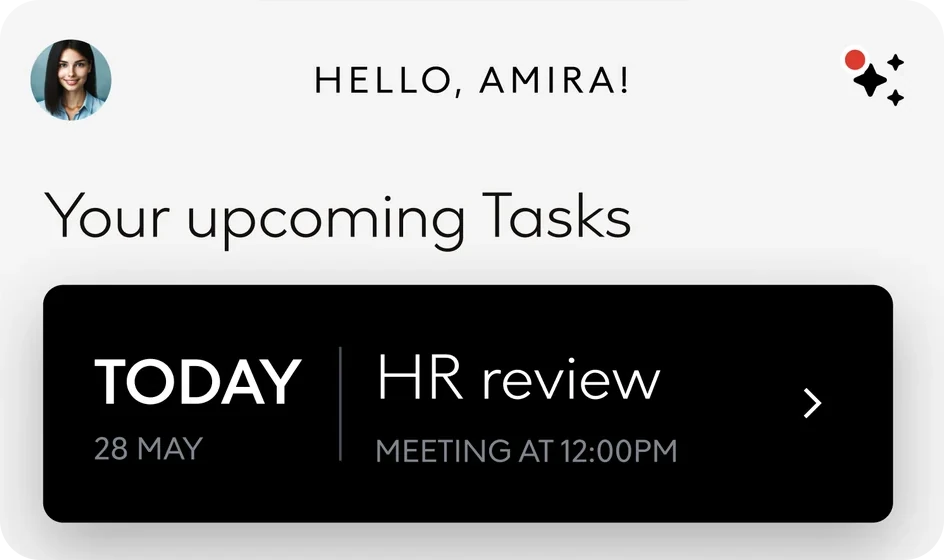
Everyone starts on the same home: a greeting, a status line from the assistant and one field that asks How can I help you? What sits below changes with the person: a footprint for a resident, tasks for an employee, trips for a traveller.
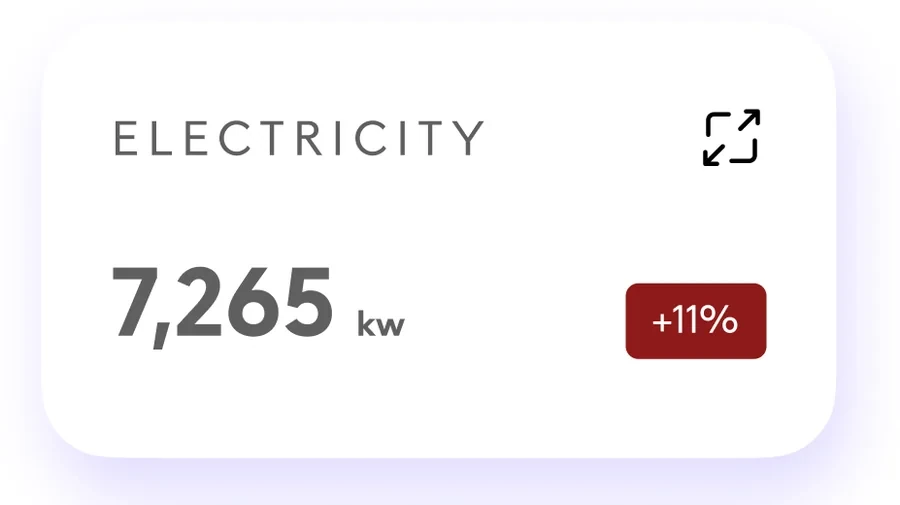
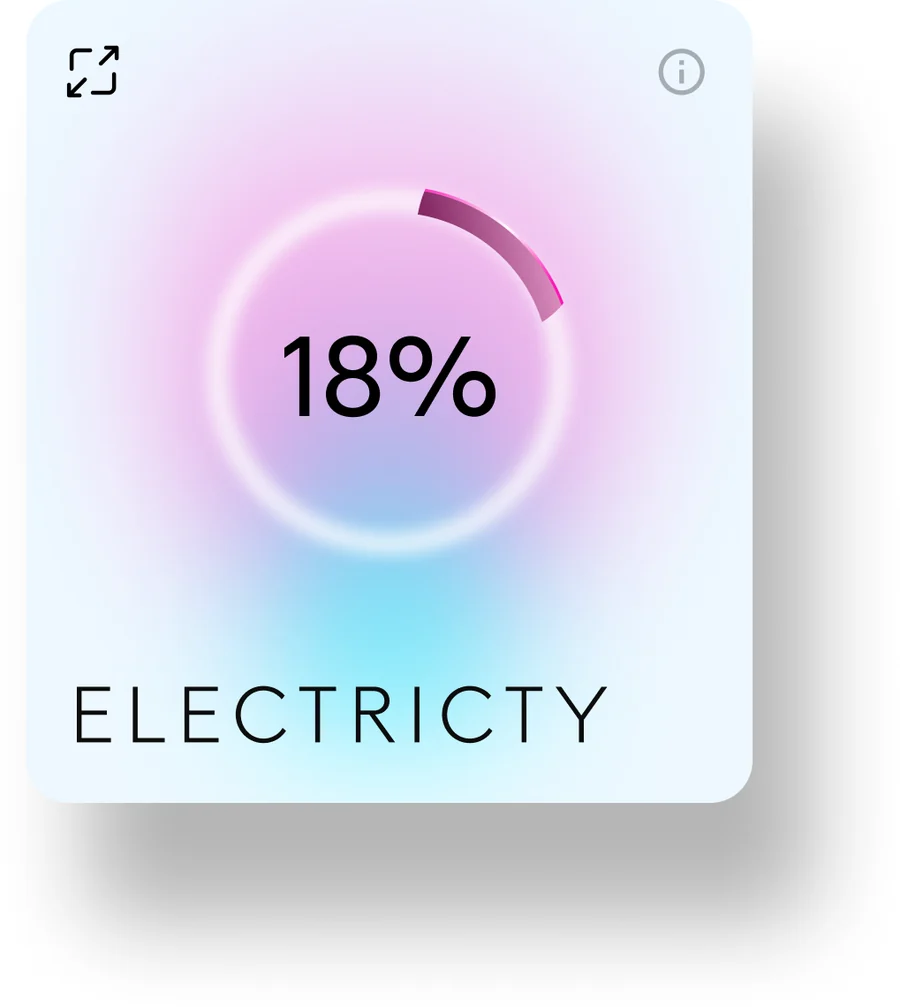
Data arrives as one figure with a direction. Electricity at 18%, 7,265 kW and up 11%, cooling down 23%. The detail is one tap away, never in the way.
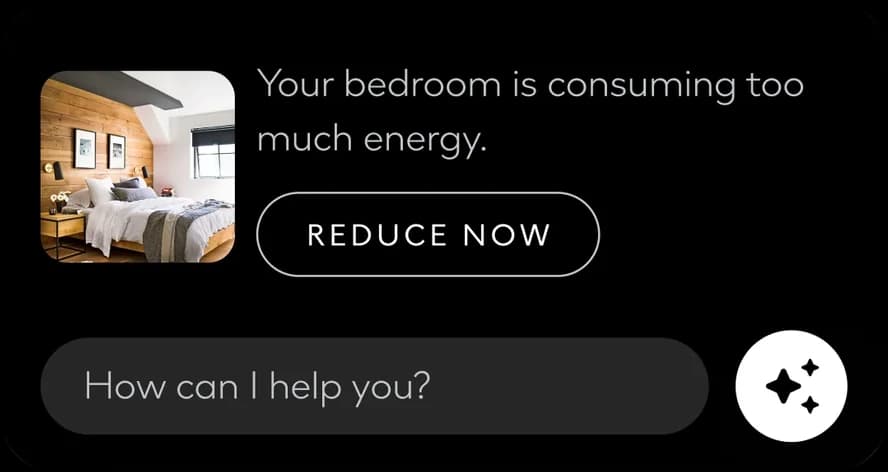
The assistant does not wait to be asked. It proposes a single next step: book the leave you have left, reduce the energy a room is using, find another plan when the weather cancels a booking.
The same moments reach the lock screen, a Live Activity and the watch, so a passenger can follow the way to baggage claim without opening anything.
The deck's brief for residents is a single place to manage energy and water, with real-time data to build awareness and better habits.
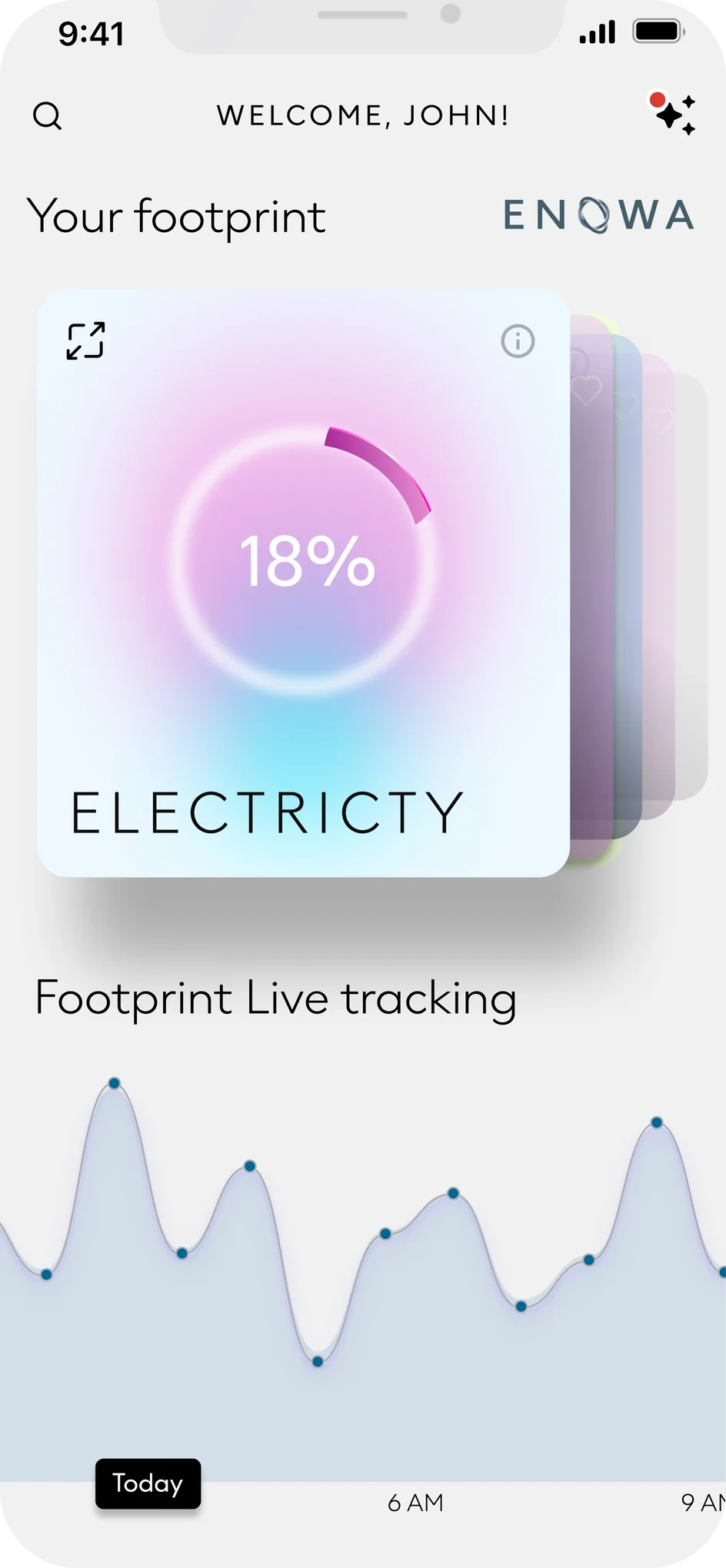
So the footprint is the first thing on the page. Each utility becomes a soft, glowing card with one percentage; the cards stack, so the next one is always in view, and a live line shows how today is going.
The footprint home: one card per utility, stacked, above a live tracking chart.
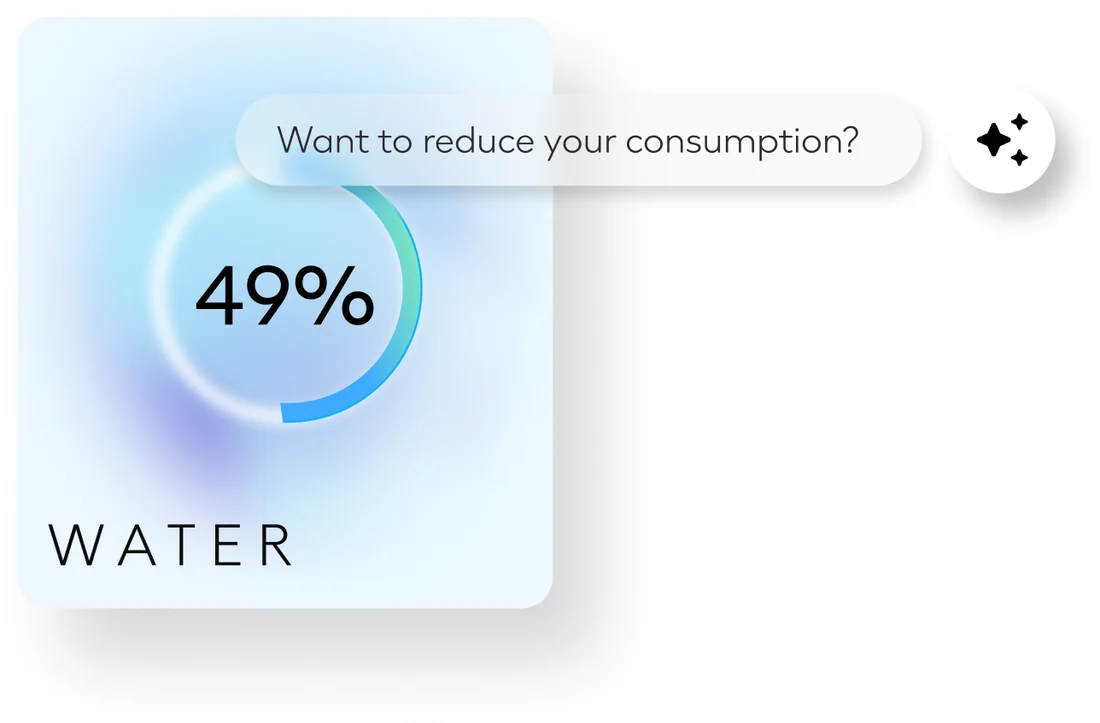
The card: a single number, the ring filling to it. Beside it, the figure and its direction, nothing more.
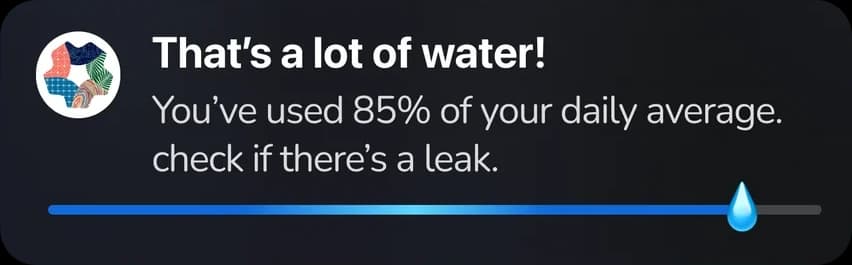
Water, with the assistant attached: a question, not a warning.
One dial for the temperature, then the spaces of the home. A space is a card with a switch.
Switched on, it darkens and the toggle lights up.
For employees the deck asks for personalised experiences, simpler HR processes and easy access to workplace resources, with reminders that arrive before a deadline does.
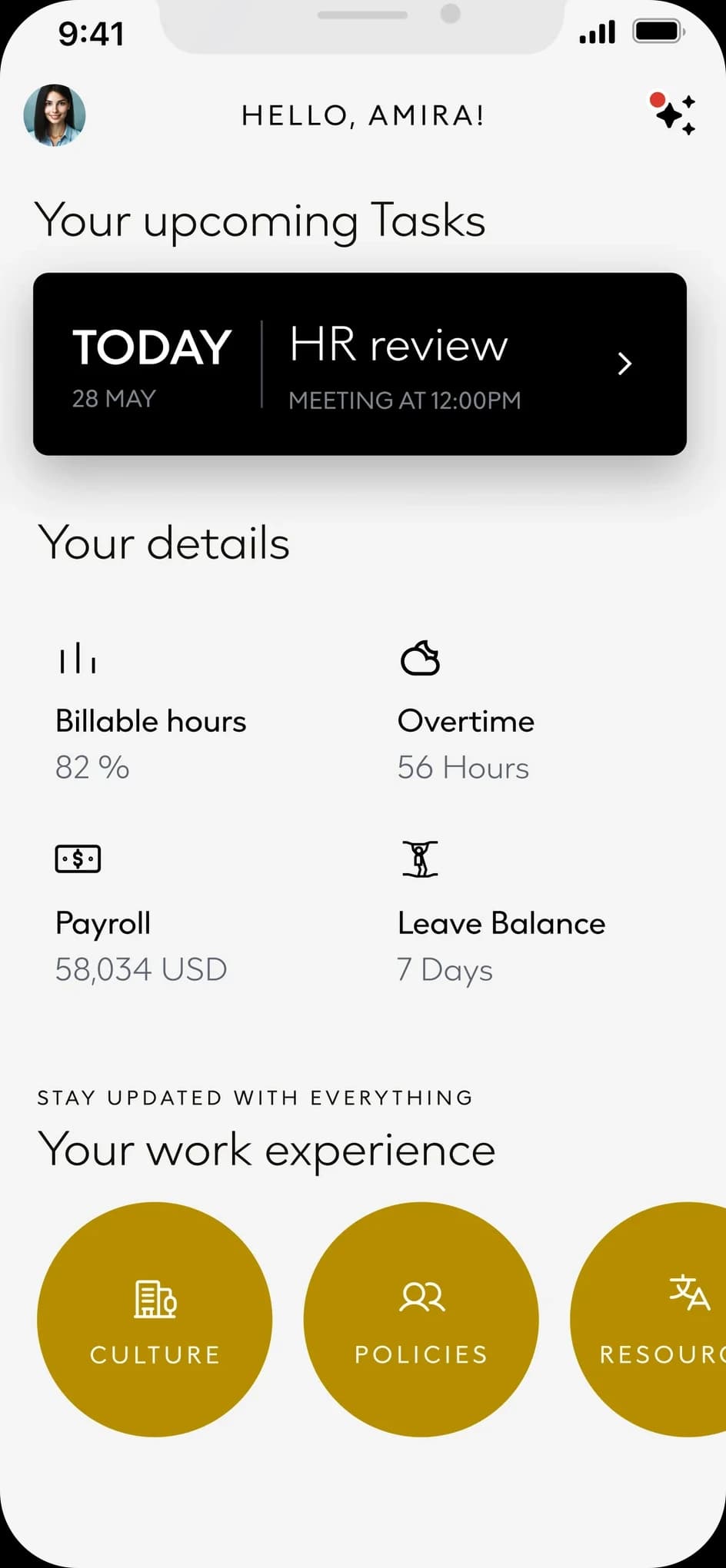
The home answers with what is next, then the numbers people check most: billable hours, overtime, payroll and leave. Culture, policies and resources follow as large round doors.
What is next, then the four numbers people look for. A reminder reads like a colleague, not a system.
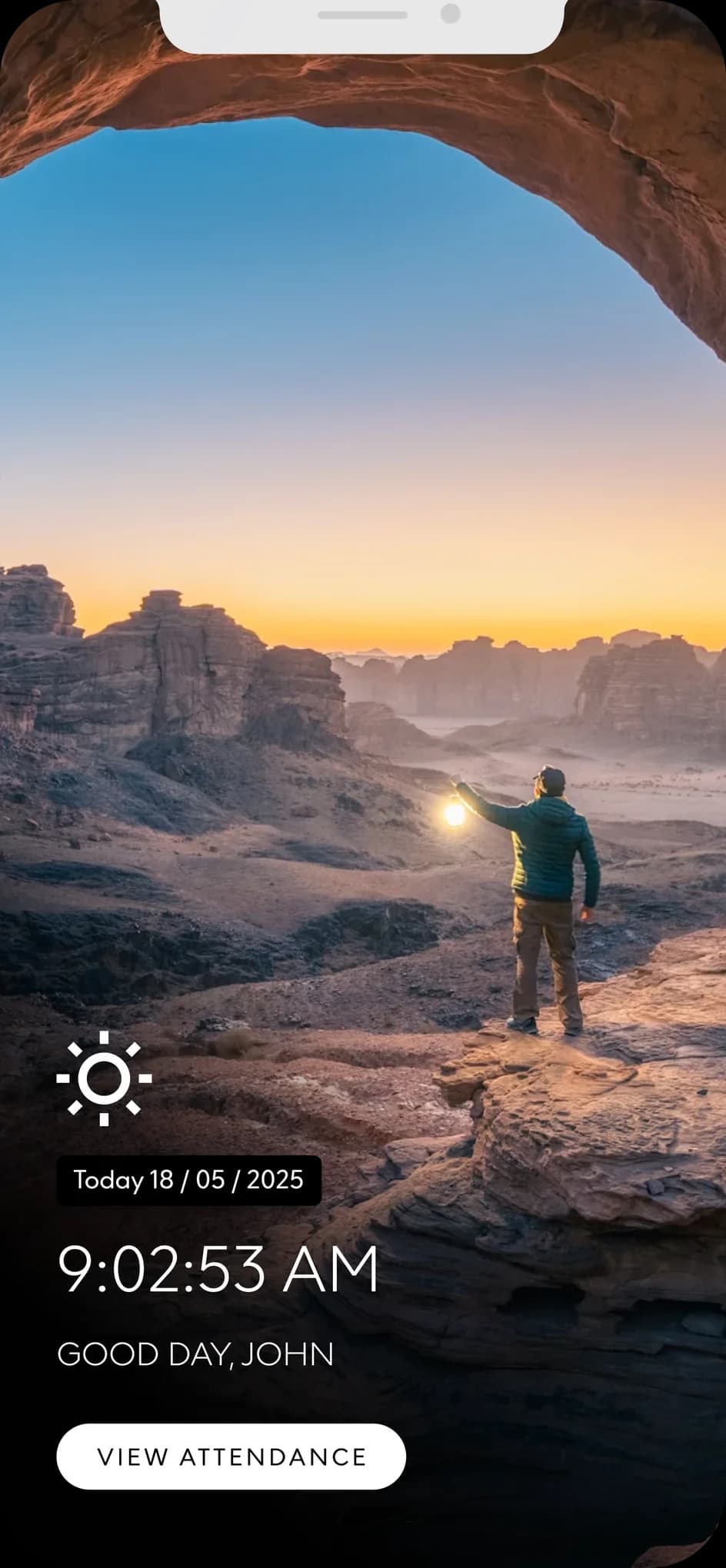
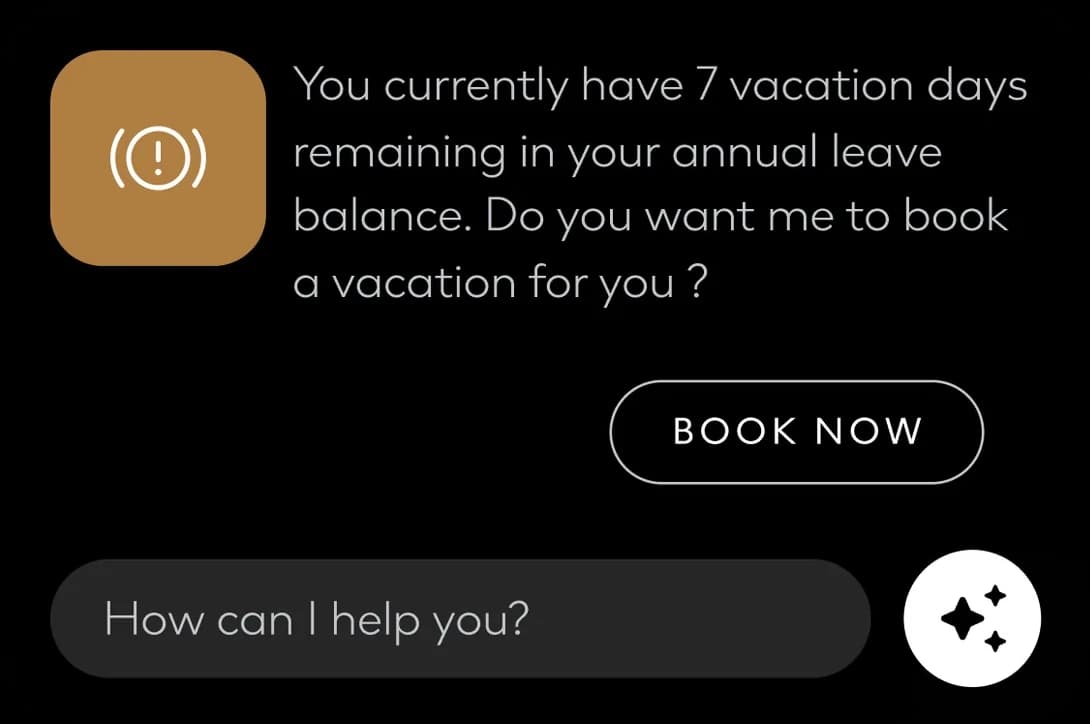
Attendance as a moment: the time, a greeting, one button. The assistant knows the balance: seven days left, so it offers to book them.
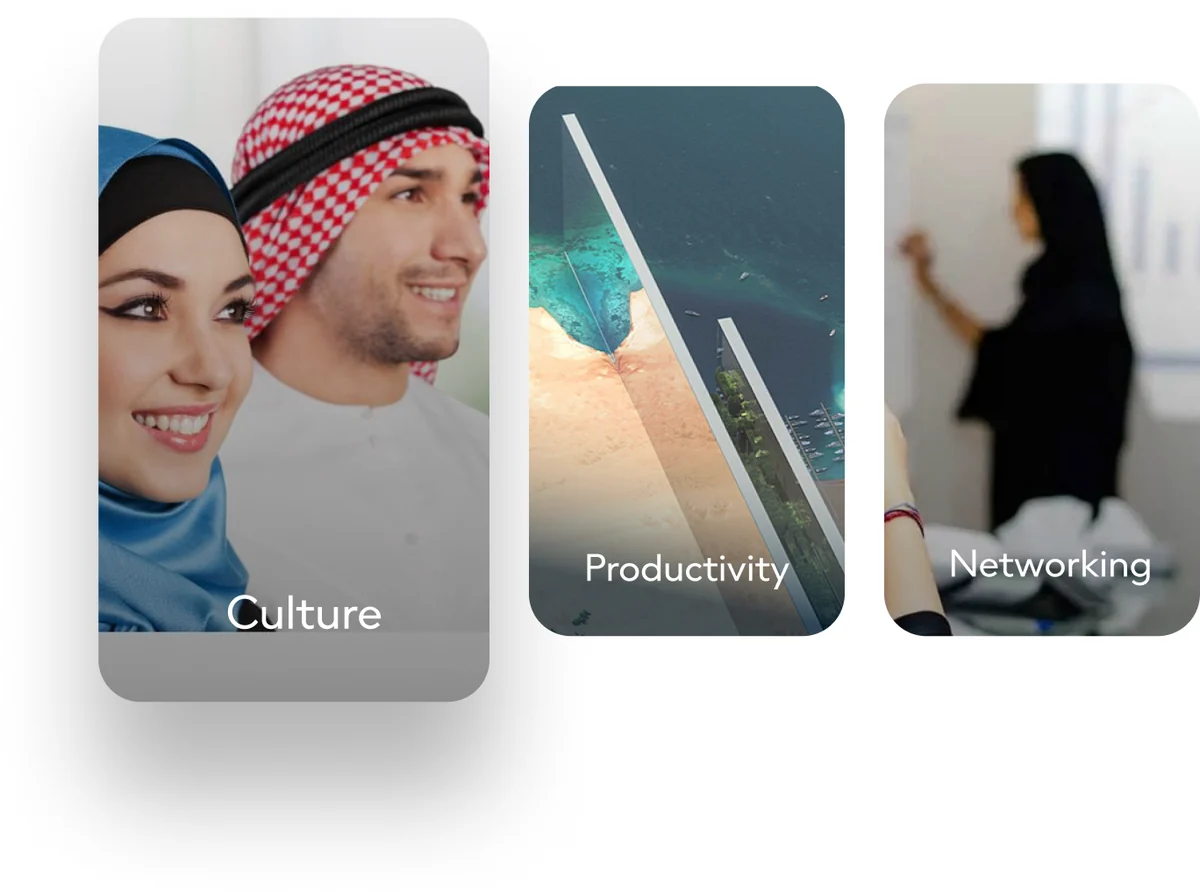
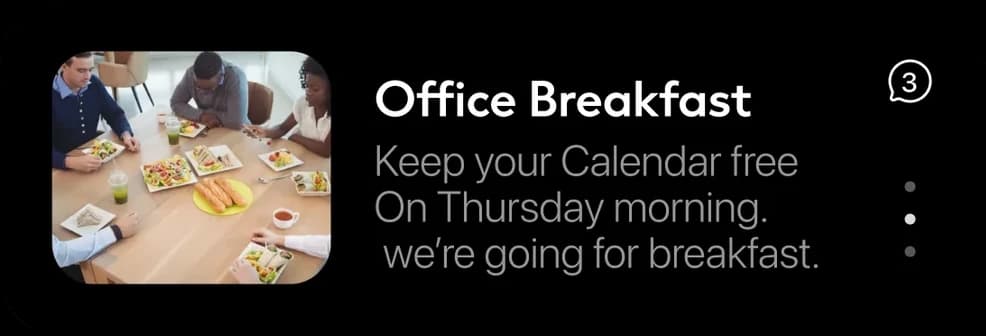
Helpful resources as a row of picture cards.
For passengers the deck's aim is a calm journey from arrival to departure: real-time flight, gate and baggage information, interactive maps and turn-by-turn directions, and bookings in the same place.
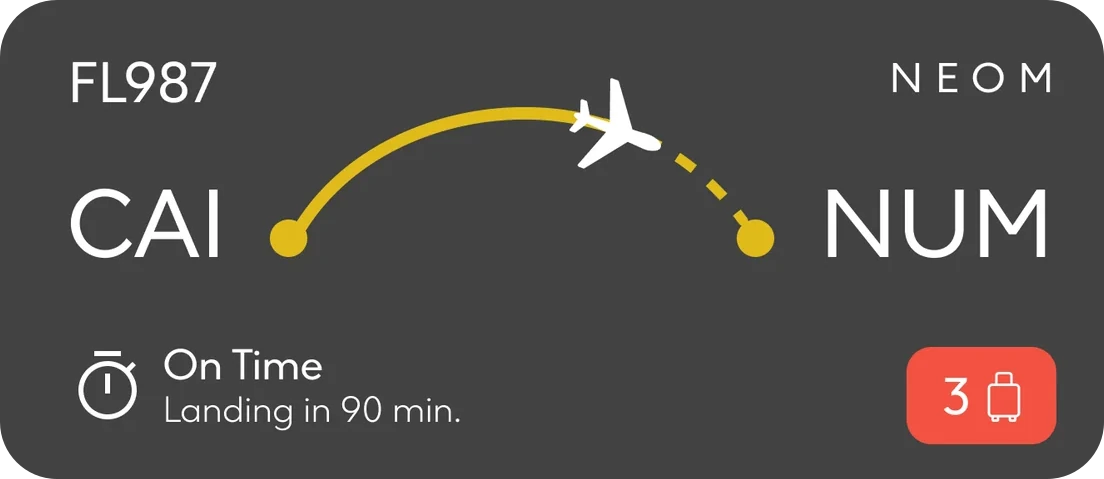
The trip is the home. The next flight leads, the weather and a mood check sit beside it, and hotel, restaurant and activity bookings follow, each with its invoice. Once the plane is moving, the app steps out to the lock screen and the wrist.
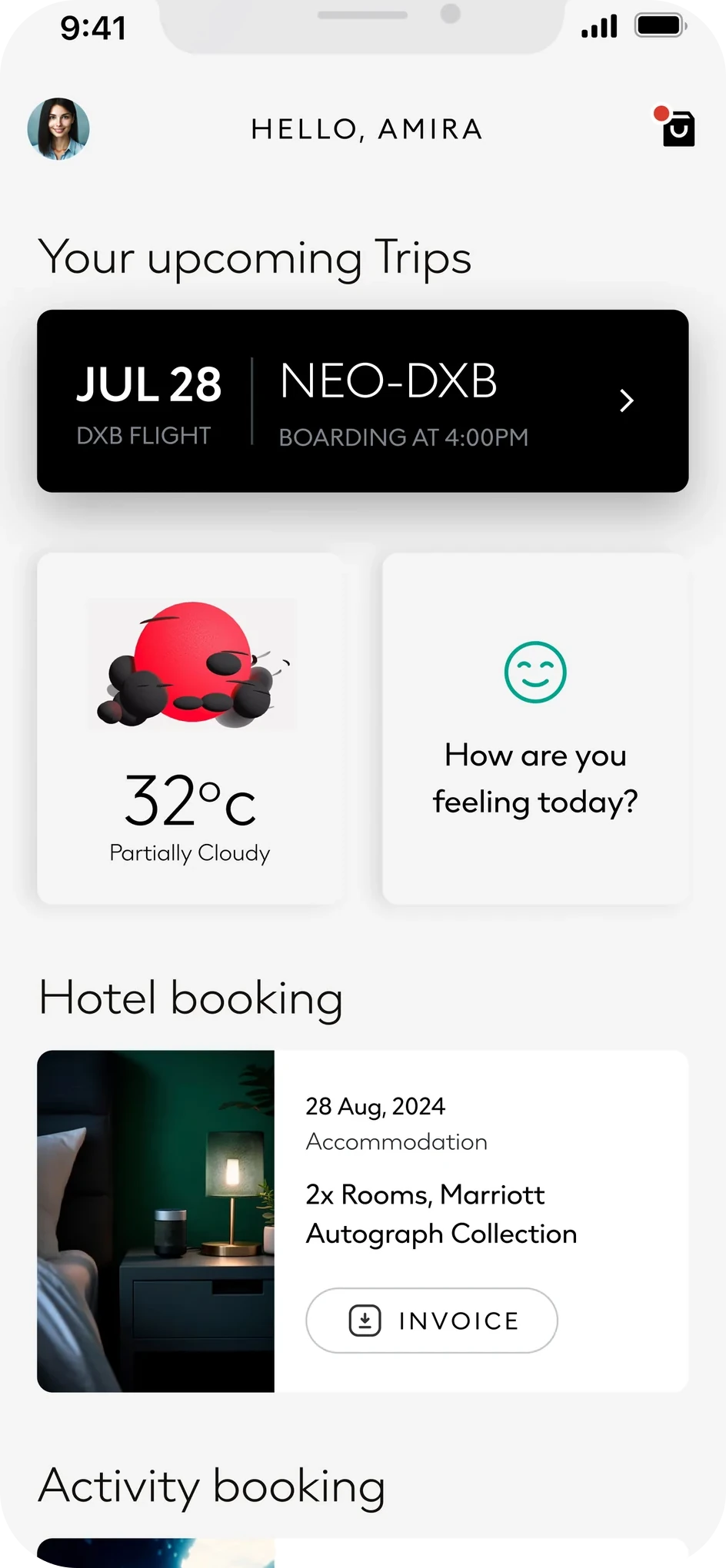

The next flight first, then everything booked around it.
The weather and a mood check sit beside it.
Hotel, restaurant and activity bookings follow, each with its invoice.
A Live Activity: route, status and gate at a glance.
Turn-by-turn to baggage claim, on the wrist.
It is proactive by design. It tells you before you notice: a booking cancelled by the weather comes with a yoga class instead, a meal comes back as a five-point rating, a room using too much energy appears on the lock screen with a way to fix it.
Across all three, the same black card keeps returning: a short message, one action, and the field that asks How can I help you? It is the thread that makes three services feel like one app.
The card is the same each time; what it carries changes with the moment, and so does where it appears.
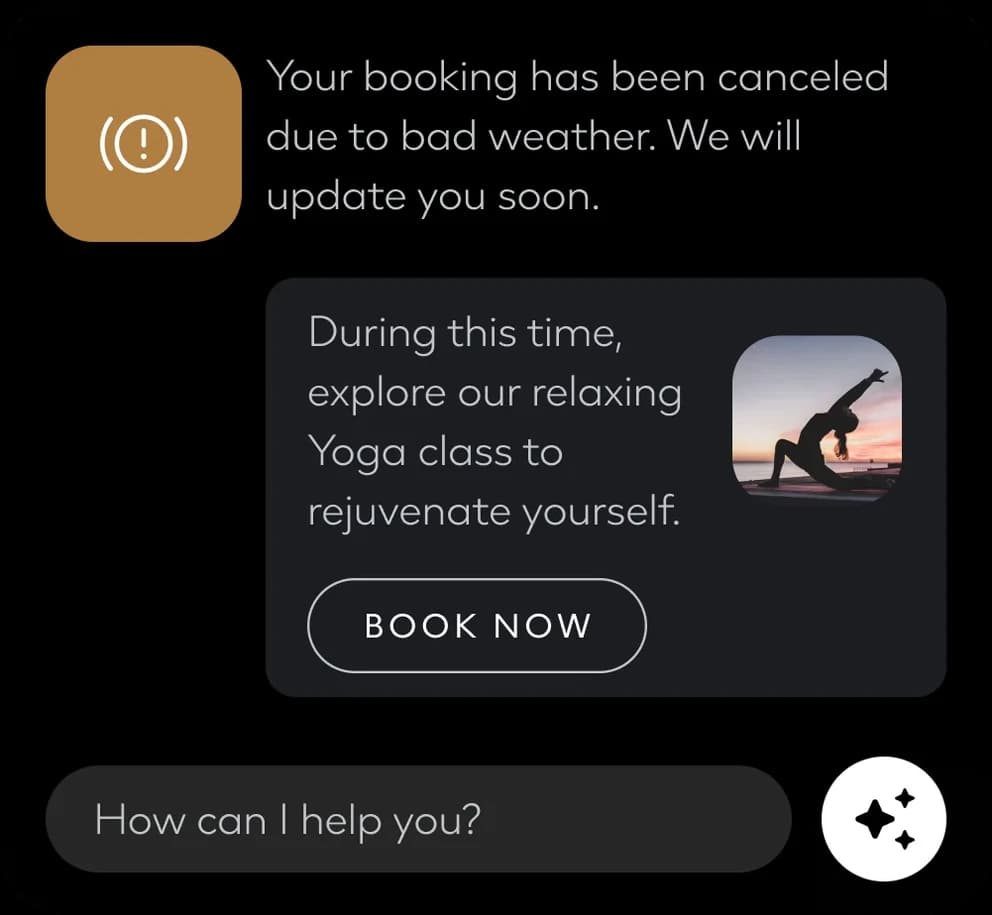
Bad news arrives with a better plan.
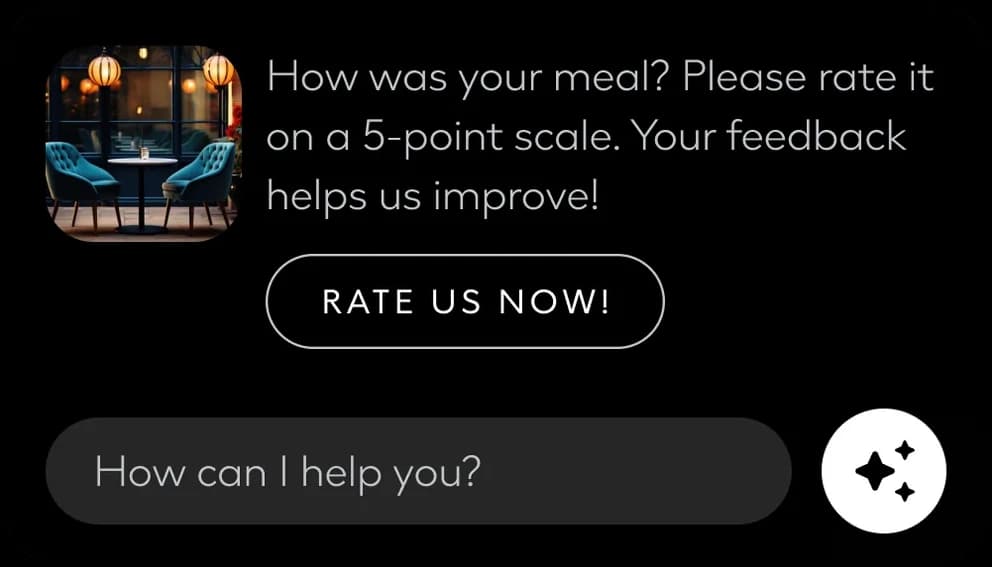
Feedback asked for at the right moment.
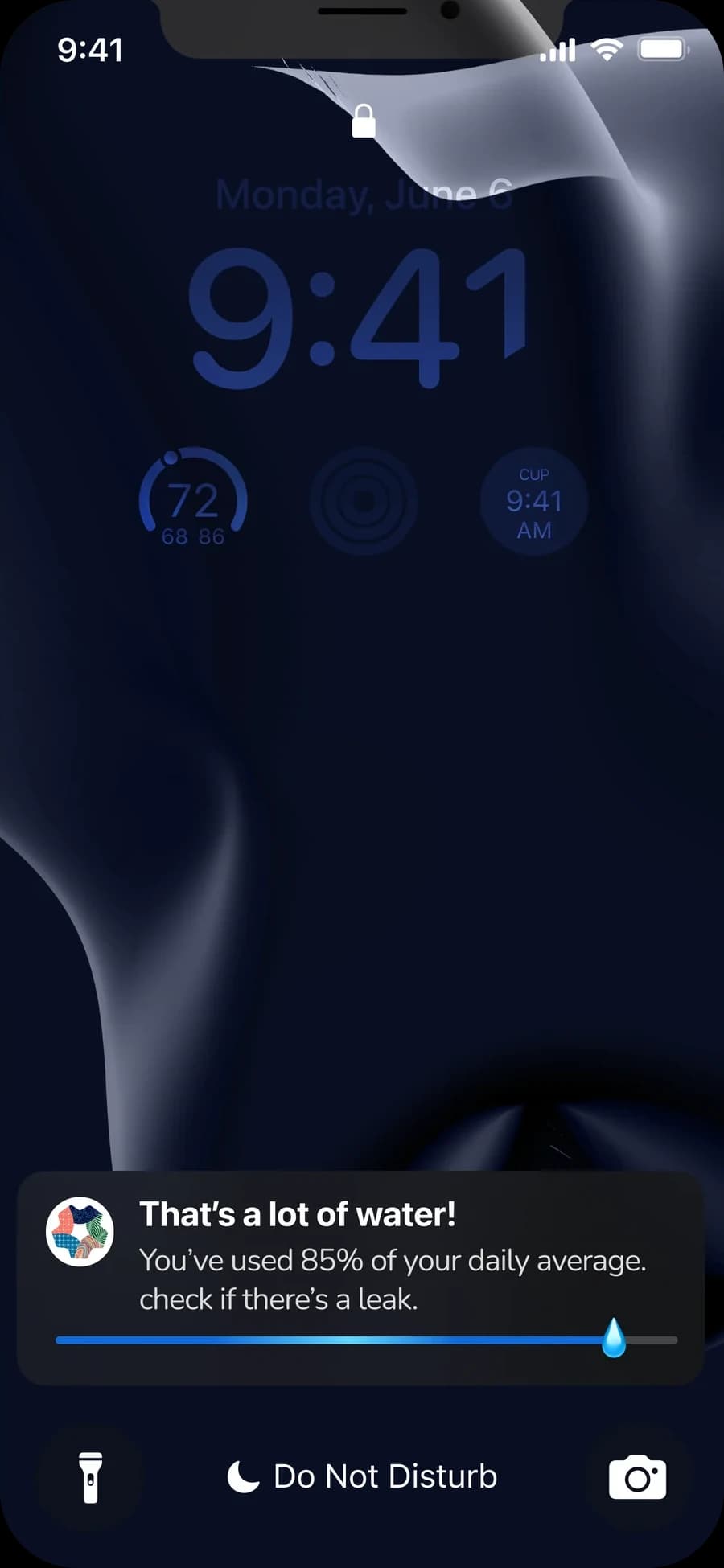
On the lock screen: the water use, and a reason to look.
A SuperApp is easy to describe and hard to make feel like one thing. Here the answer is not a bigger menu but a shared grammar: the same greeting, the same cards, the same assistant, whatever the person came for.
As an exploration it stays at the level of elements and moments. That is its value: each piece is small enough to test on its own, and together they sketch how a region could talk to the people living, working and arriving in it.
Ahmed Mowgoud — UI, product & UX
Publicis Sapient — agency
NEOM — client


